Management Portal — Journey Walkthrough (v2)
Fresh capture of the redesigned portal — every journey re-walked end-to-end, including the full quote lifecycle and the new Users section.
0Login & Session
Single-screen sign-in. Auth is token-based (refresh token in localStorage); the sidebar now has an explicit Log out button. No CAPTCHA, no SSO options.
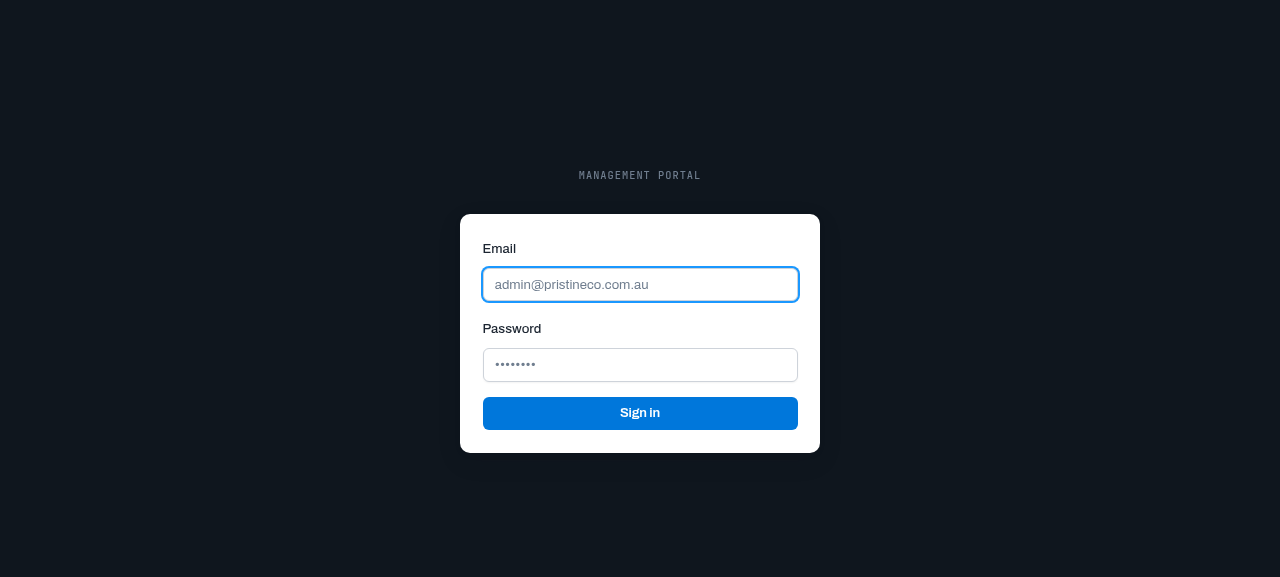
00-login.png — Updated login screen with Pristine Co branding
1Dashboard — Redesigned
NEW The dashboard got a real upgrade: date header, Pipeline value KPI, and a "Needs attention" list where every quote row states its own next action (FOLLOW UP / FINISH DRAFT / WON).
- KPI cards: Drafts / Sent / Negotiating / Won (clickable) + Sent this month / Awaiting response / Win rate / Pipeline value
- Needs-attention rows are one-tap action shortcuts
- All stats recalc live as statuses change
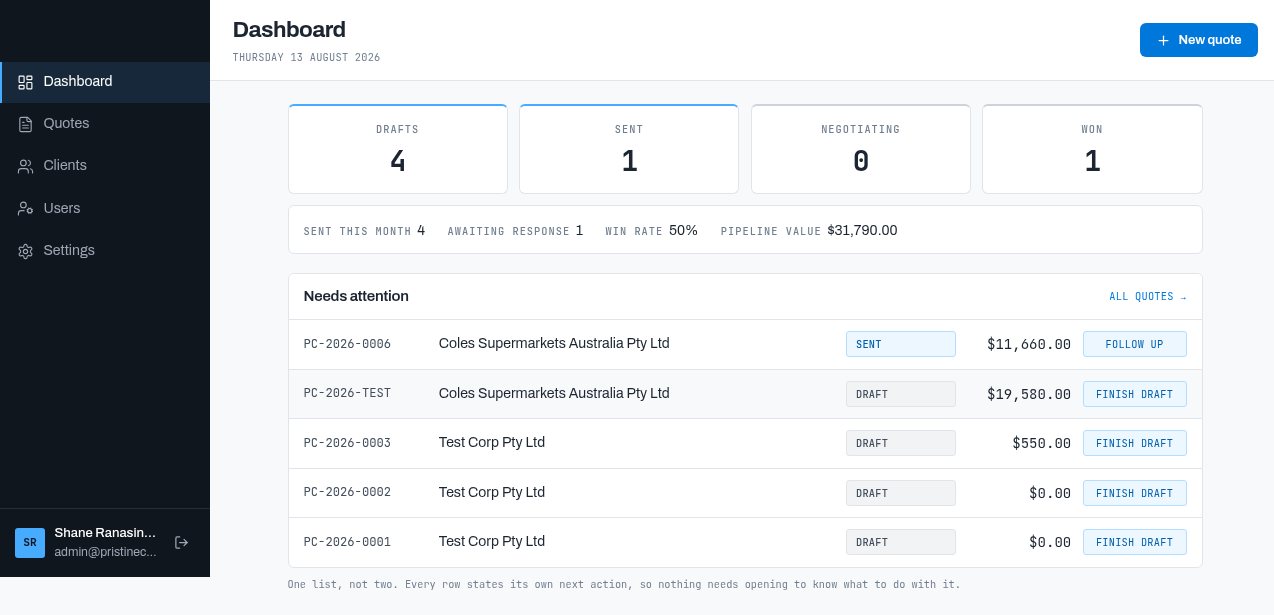
01-dashboard.png — Initial state: 4 drafts, 1 sent, 1 won, pipeline $31,790
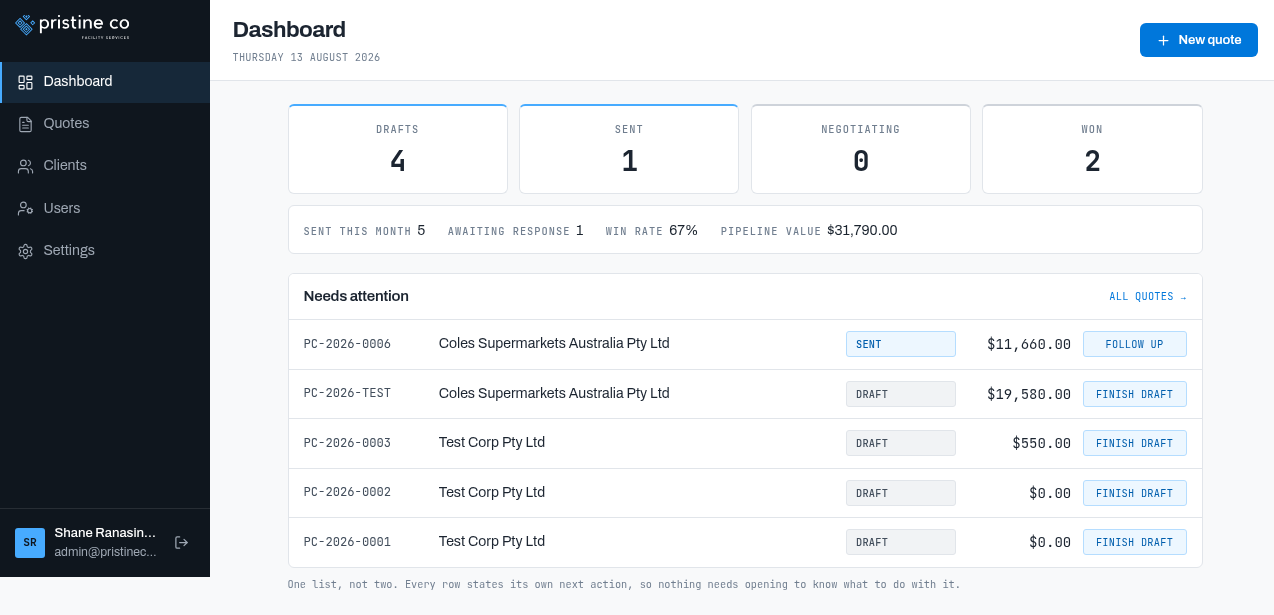
14-dashboard-won.png — After accepting PC-2026-0007: Won 2, win rate 67% ✅ live recalc
2Quotes — Card List, Search & Filter
NEW Quotes are now cards with status chips and action buttons (FOLLOW UP / FINISH DRAFT / WON / CLOSED), not a table. Search and status filter still work identically.
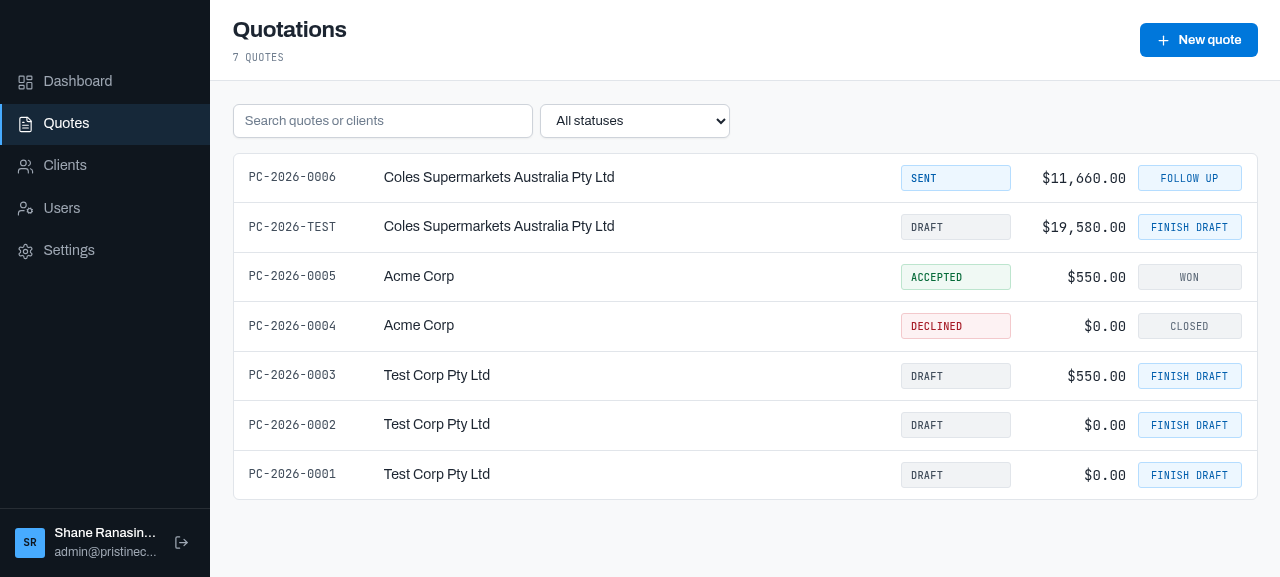
02-quotes-list.png — 7 quotes incl. Coles Supermarkets ($11,660 sent, $19,580 draft)
Verified: search "Coles" → 3 rows; status filter "Sent" → exactly 1 (PC-2026-0006) ✅
3Quote Detail (Draft)
Reorganised read view: header with status chip, Scope of work, Pricing (AUD currency tag), Terms, a Details panel (status/issued/valid/site/prepared-by) and Status history.
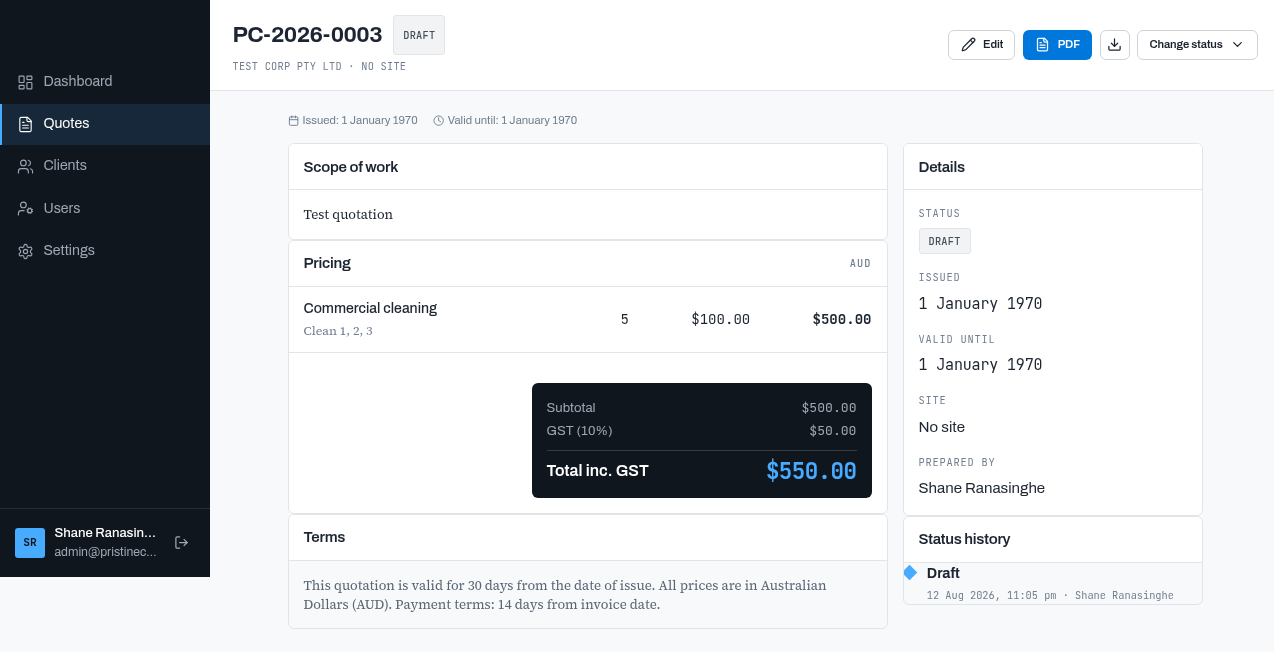
03-quote-detail.png — PC-2026-0003: $500 + $50 GST = $550; prepared by Shane Ranasinghe
⚠ Carried over: seeded draft PC-2026-0003 still shows Issued/Valid: 1 January 1970 (epoch fallback for unset dates — fresh quotes render "—").
4Quote Editor — WYSIWYG + Live PDF Preview
NEW The live PDF preview now renders the company logo, a "Quotation" letterhead, site block and signature. Editor features unchanged: rich-text scope, line items with instant GST math, GST modes, site picker, T&Cs and closing text.
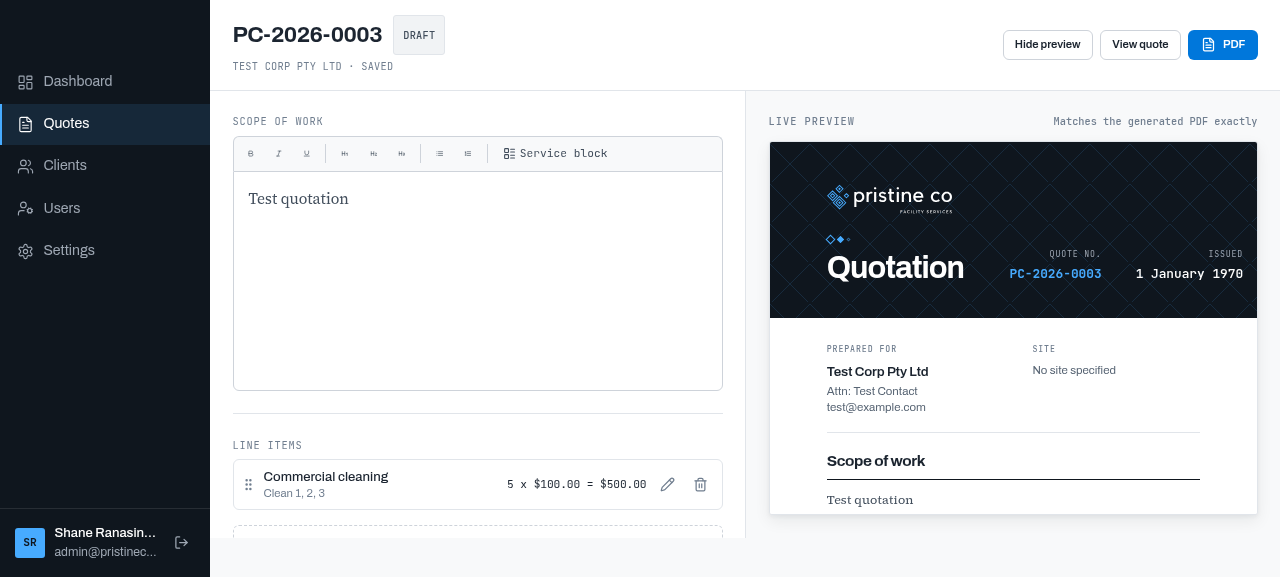
04-quote-edit-preview.png — Editor + branded live preview (logo header, pricing table, signature)
✅ Fixed: the PDF footer now renders the full address ("81 , Pioneer way, Officer VIC 3809") — the line-2 drop from v1 is gone.
5New Quote — Wizard (site-scoped)
Same client → site → start flow, now backed by real client data: Coles Supermarkets with the "Coles Officer — B1/B2 car park & foyer" site. Created PC-2026-0007 for Coles, pre-filled with the site's scope template and contact (John Doe, john.doe@coles.com.au).
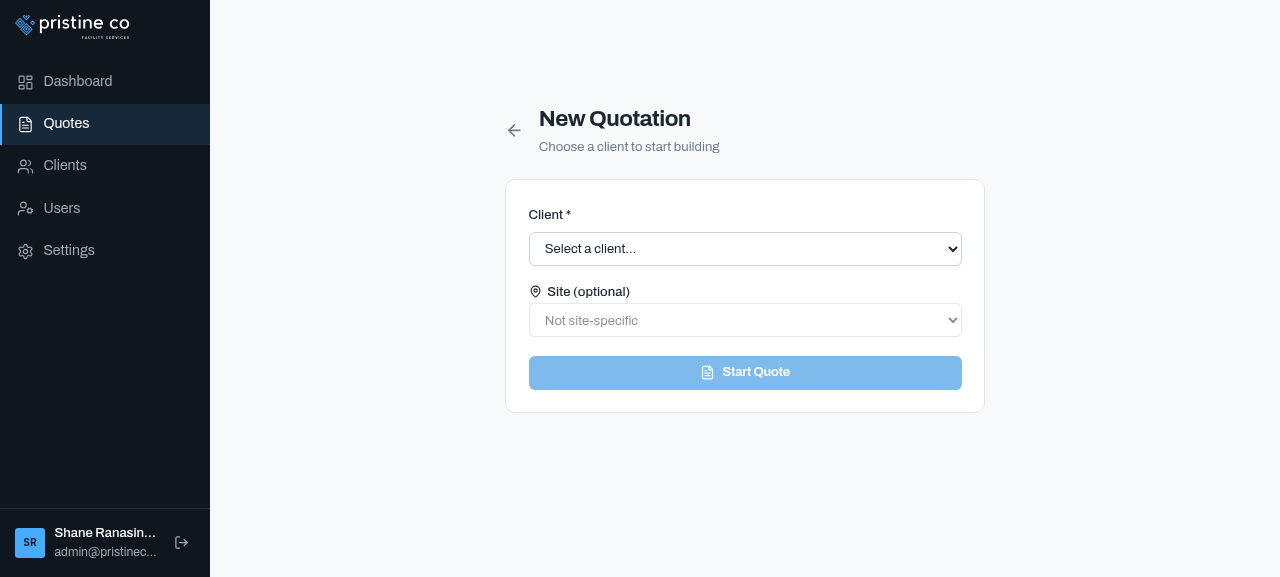
05-new-quote-step1.png — Client dropdown (Coles, Acme, Test clients + New Client)
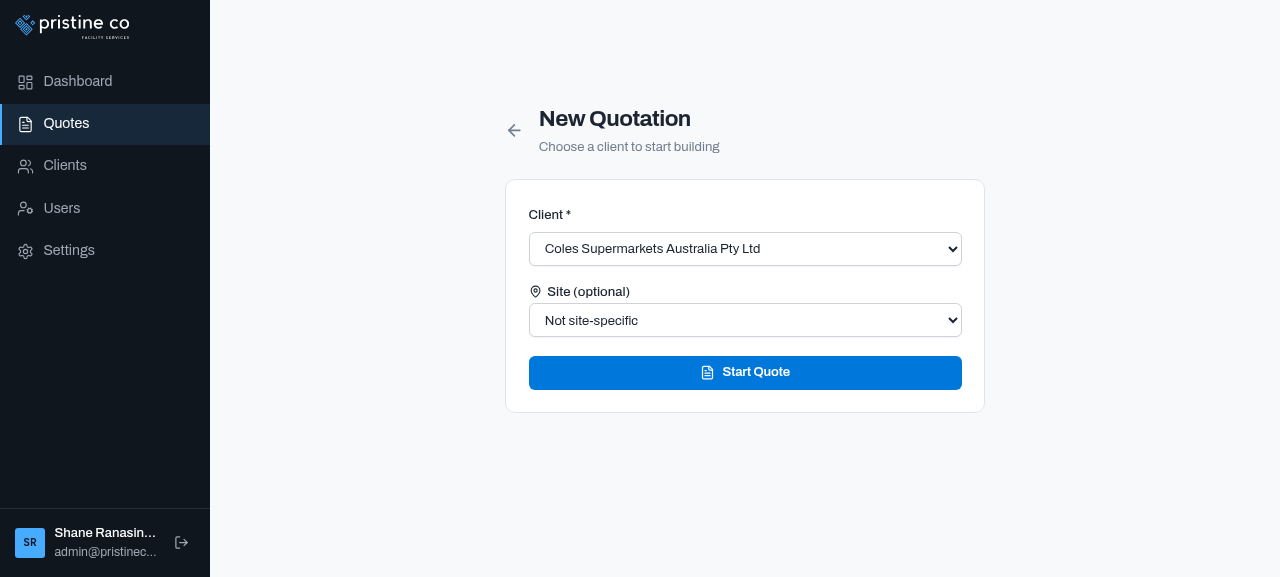
06-new-quote-client-selected.png — Coles selected; site picker offers "Coles Officer — B1/B2 car park & foyer"
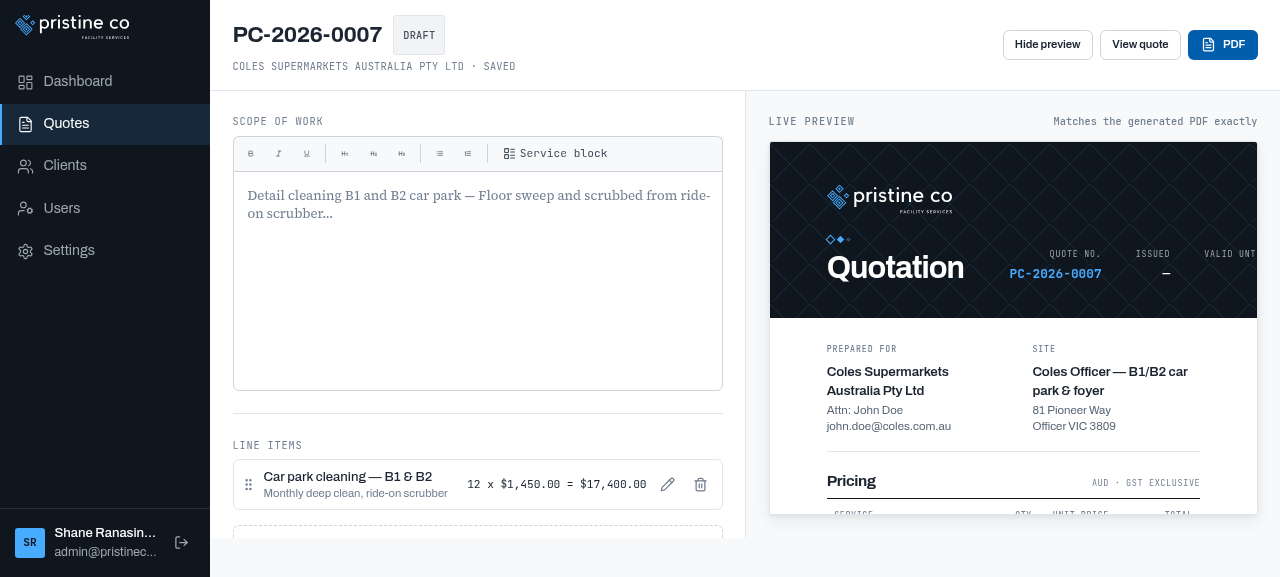
07-quote-builder-with-item.png — PC-2026-0007: 12 × $1,450 = $17,400 + $1,740 GST = $19,140 ✅
6Send Quote — Draft → Sent
Change status → Send confirm dialog; quote becomes Sent with issue date = today and valid until = +30 days (default validity). Edit locks; status history records the transition.
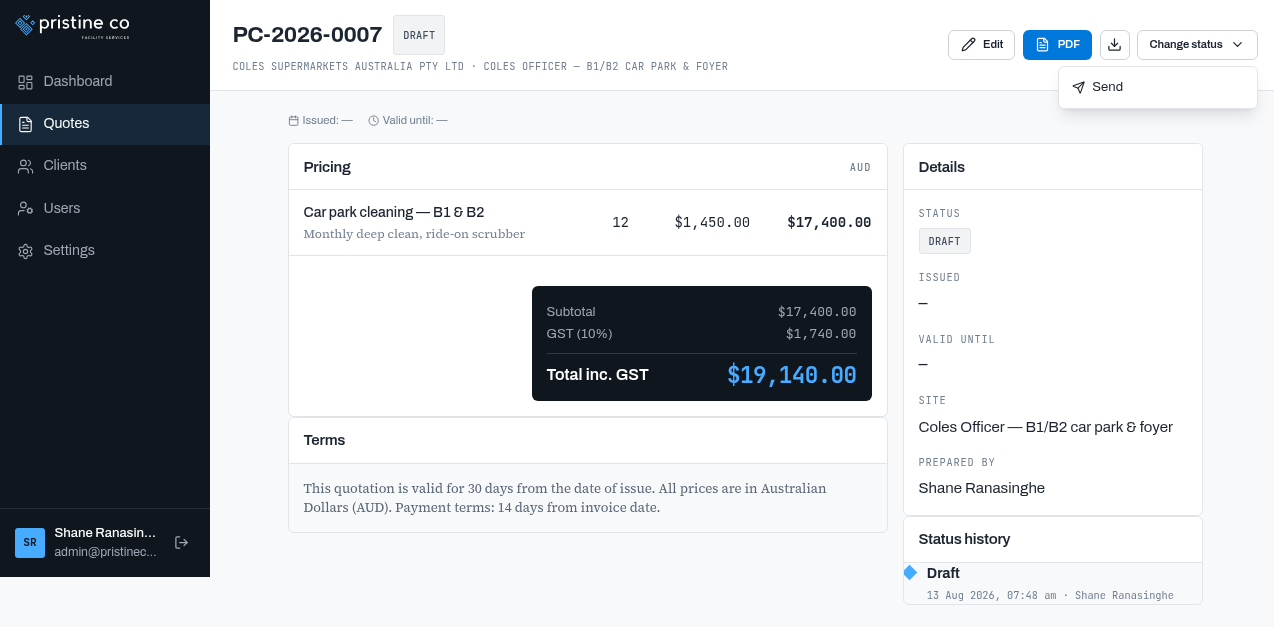
08-quote-status-menu.png — Draft status menu → Send
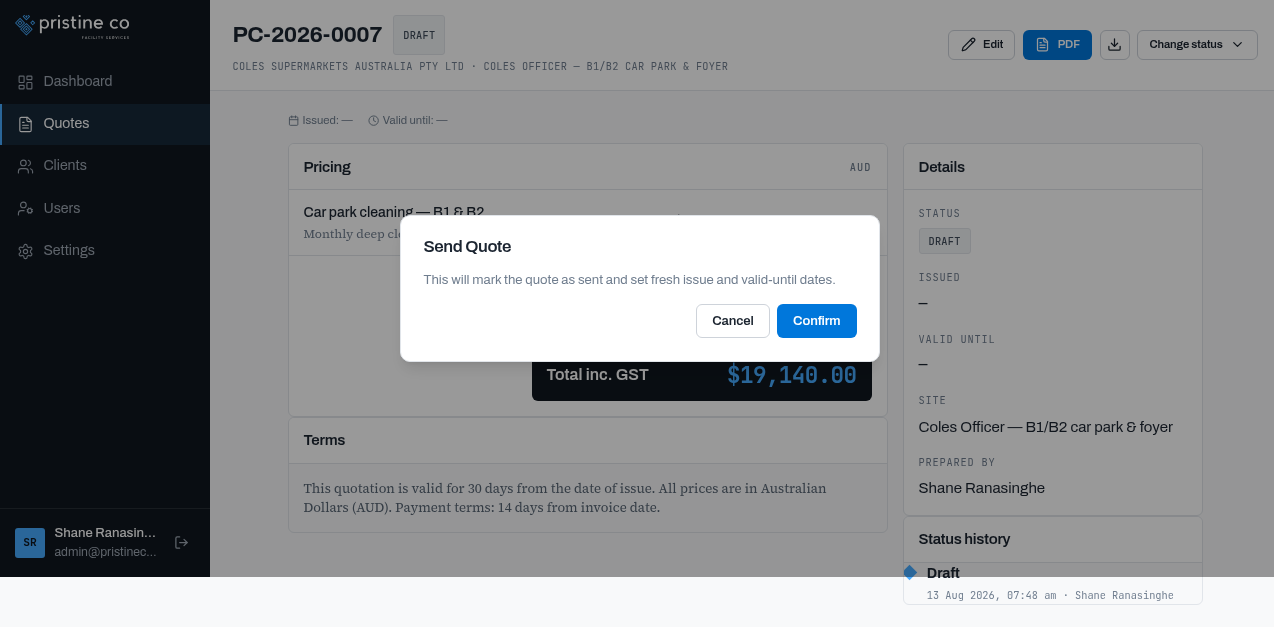
09-send-quote-modal.png — Send confirmation
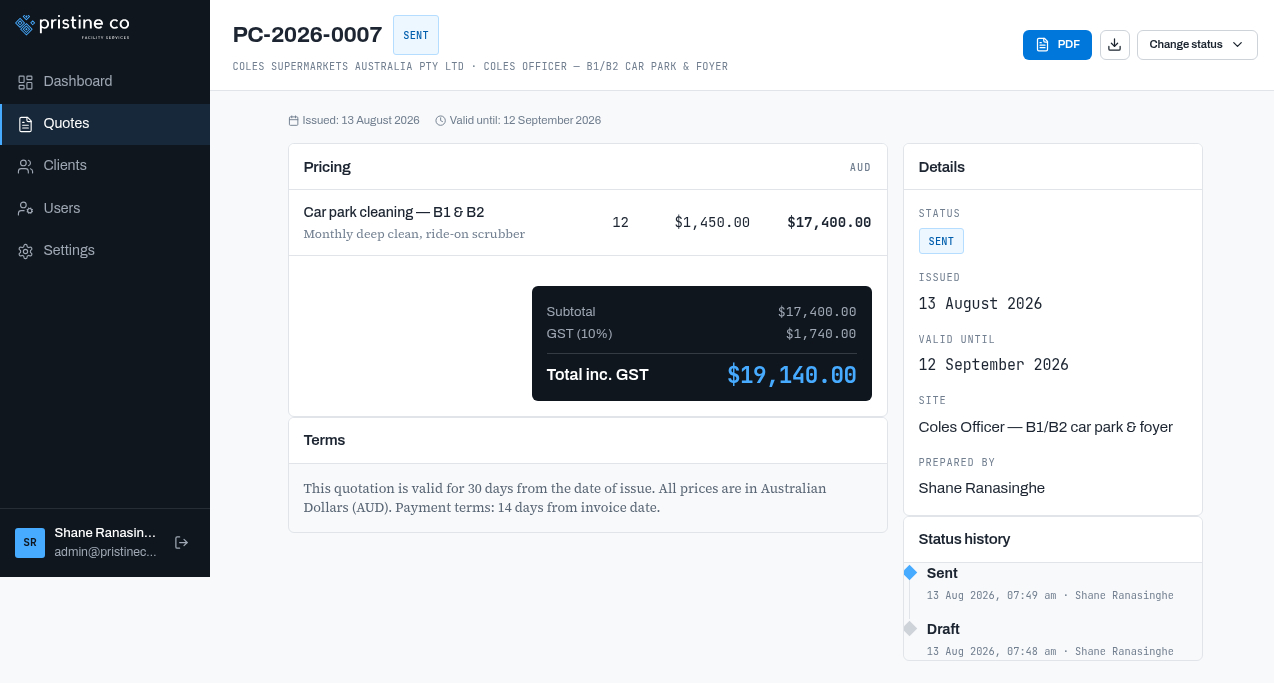
10-quote-sent.png — Sent: Issued 13 Aug, Valid until 12 Sep; history Draft → Sent
7Accept Quote — Sent → Won (locked)
Sent quotes offer Accept / Decline / Mark Expired / Unsend. Accepting locks the quote and updates the dashboard instantly (win rate 50% → 67%).
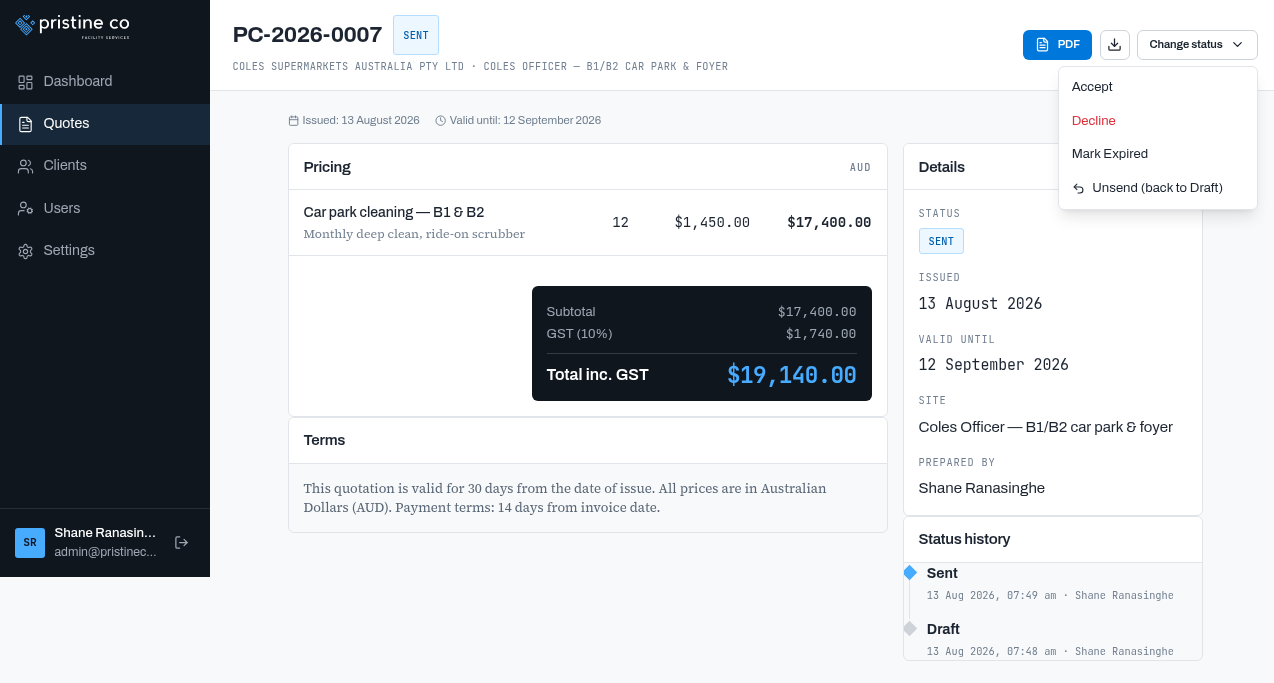
11-sent-status-options.png — Full status menu on a sent quote
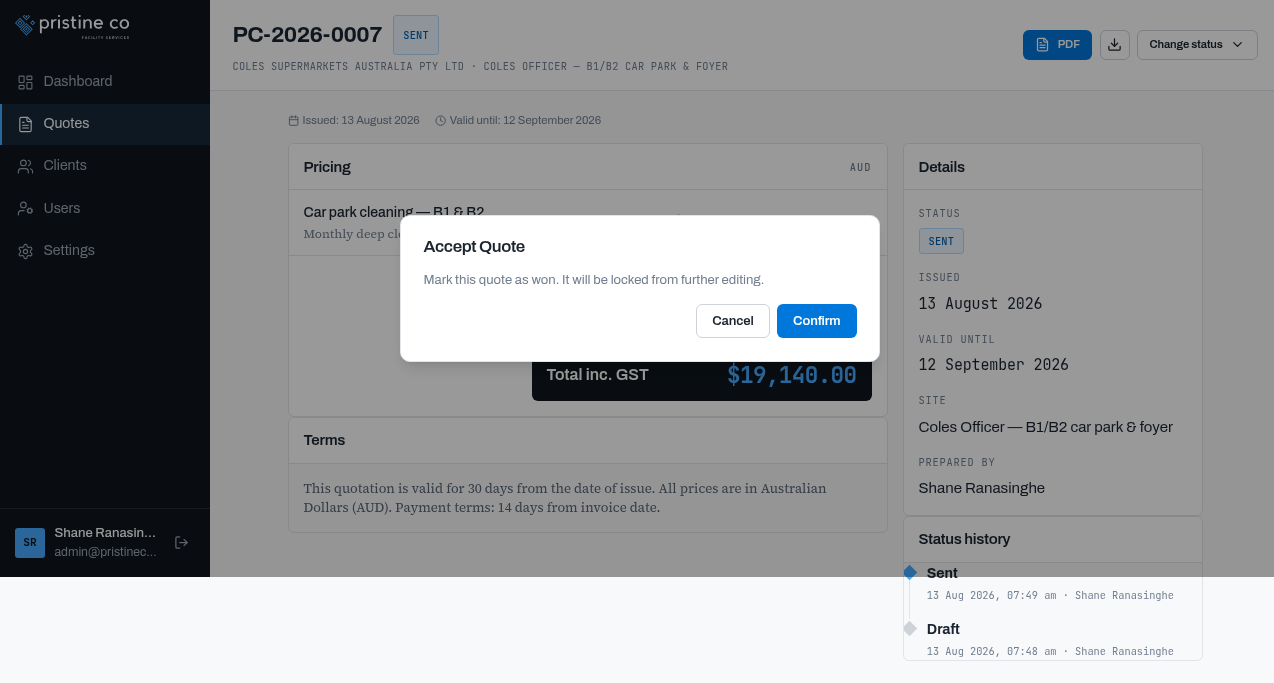
12-accept-quote-modal.png — "Mark this quote as won. It will be locked from further editing."
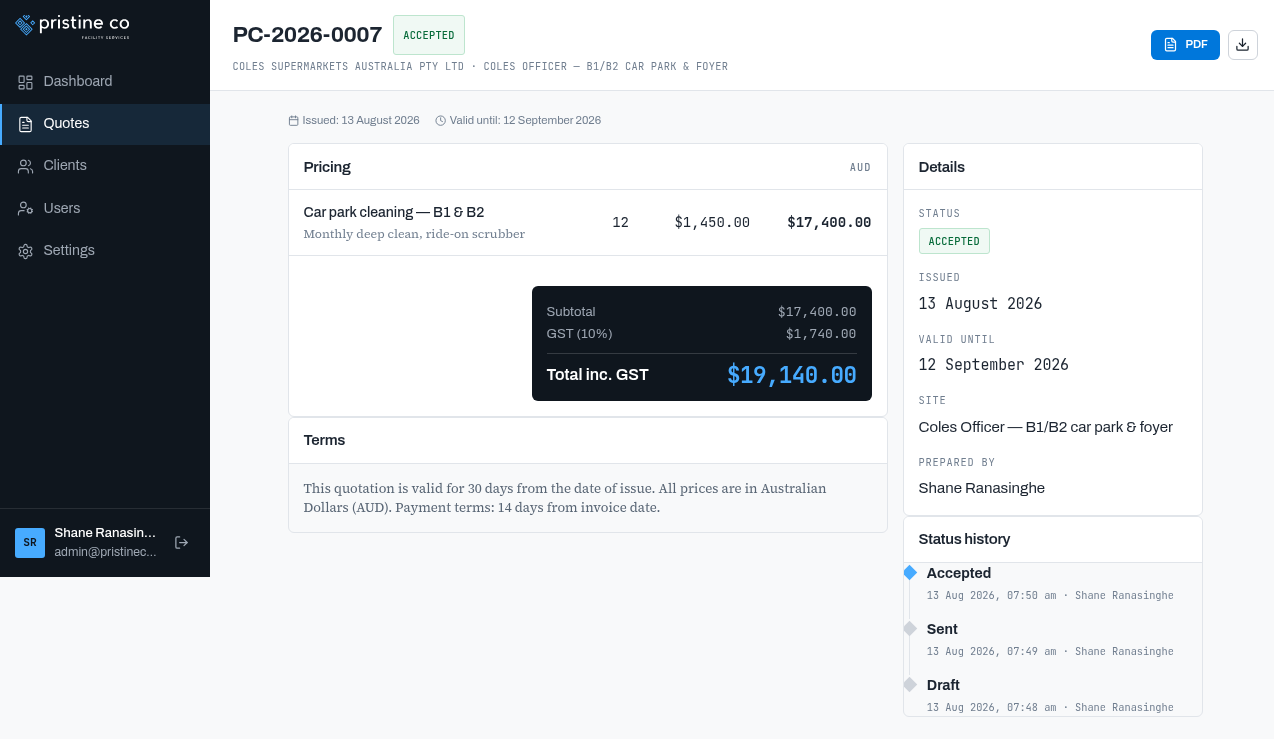
13-quote-accepted.png — ACCEPTED; history Draft → Sent → Accepted (13 Aug)
8Clients — List & New Client
4 clients incl. Coles Supermarkets Australia Pty Ltd (1 site, 3 quotes). Cards show contact + site/quote counts; search, Export CSV and New client (same form as v1).
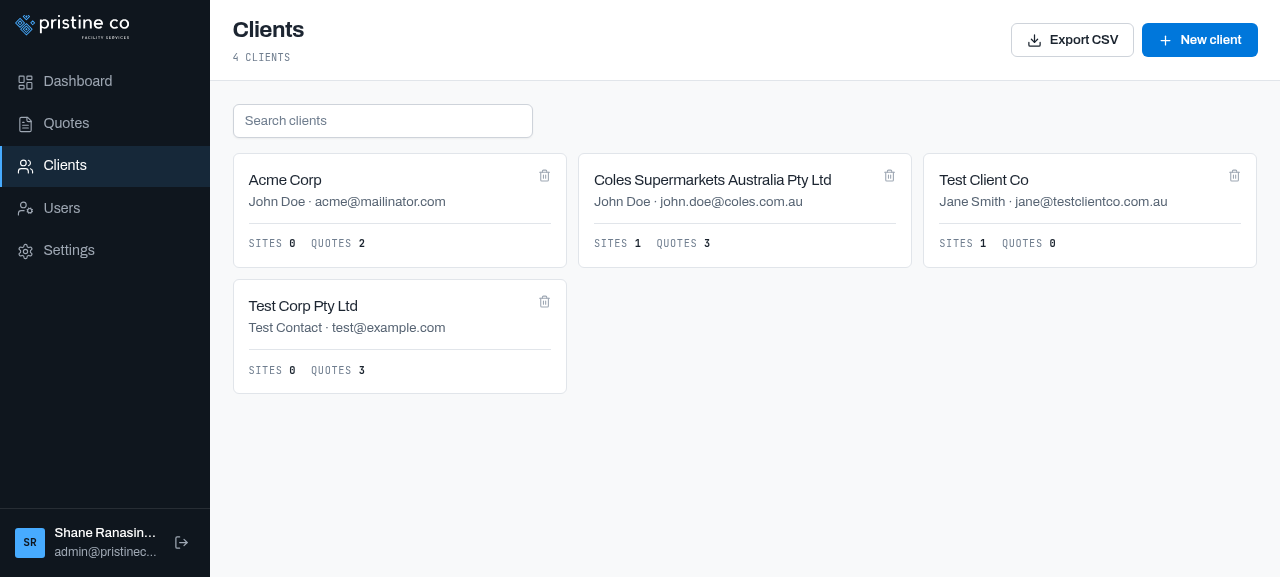
15-clients-list.png — Acme, Coles, Test Client Co, Test Corp
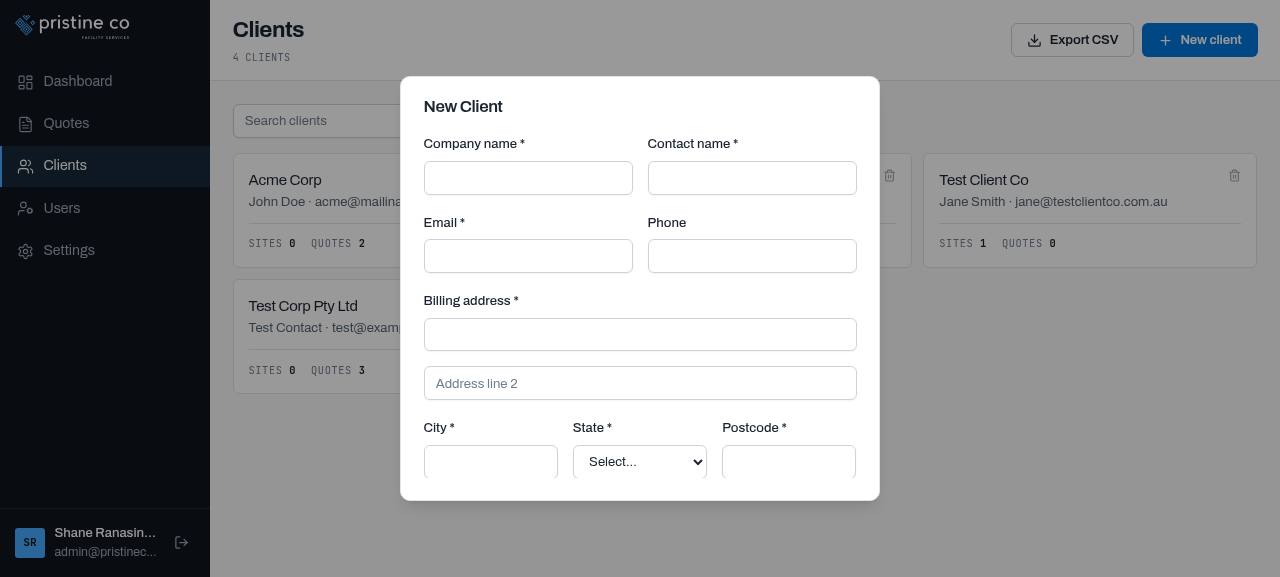
17-new-client-modal.png — Company, contact, email, phone, billing address, state, postcode, ABN, notes
9Client Detail & Sites
Client view with Sites (add/edit/delete), Quotes cards and a Client details panel. Coles' site is the real-world "Coles Officer" car-park location; the Add Site form is unchanged.
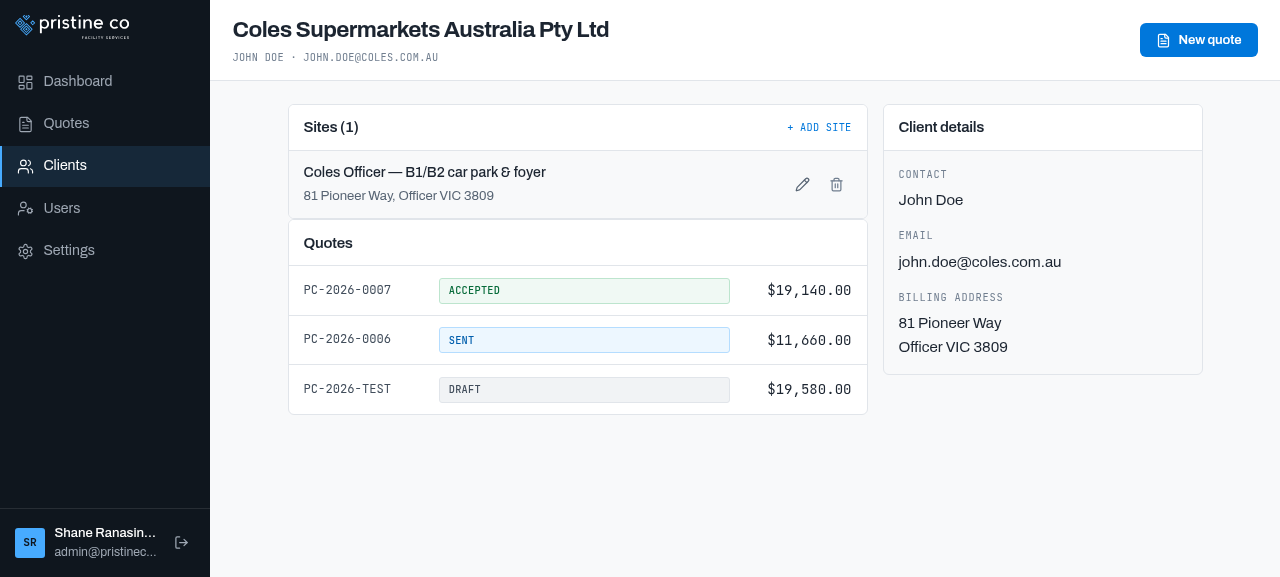
16-client-detail.png — Coles: 1 site, 3 quotes (Accepted $19,140 / Sent $11,660 / Draft $19,580)
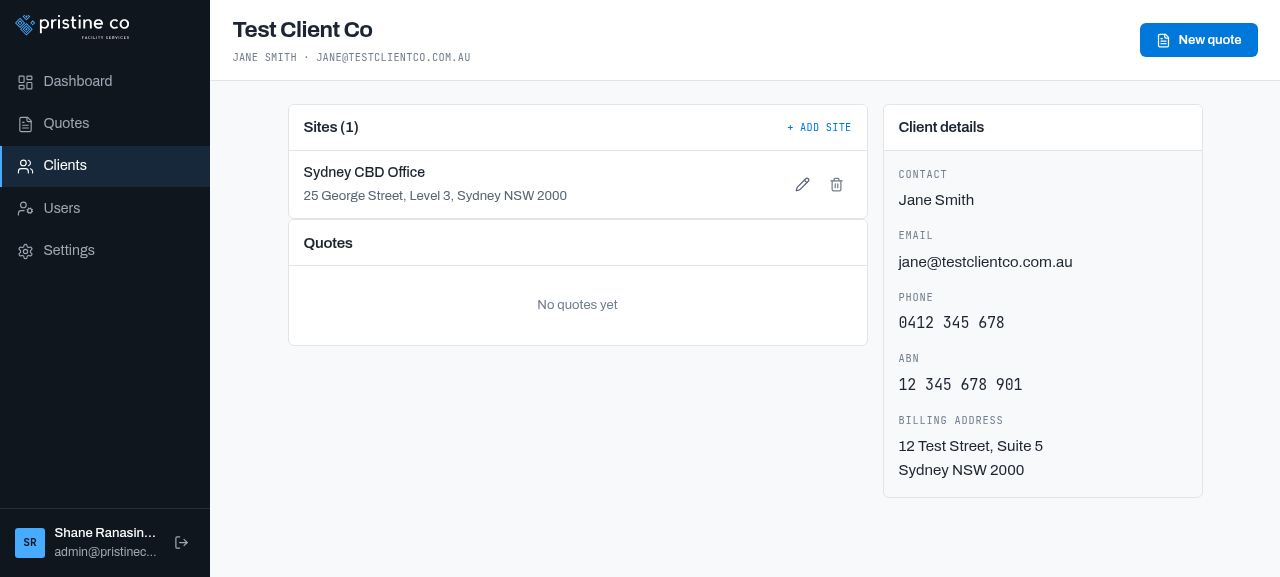
23-client-detail.png — Test Client Co with Sydney CBD Office site and empty quote list
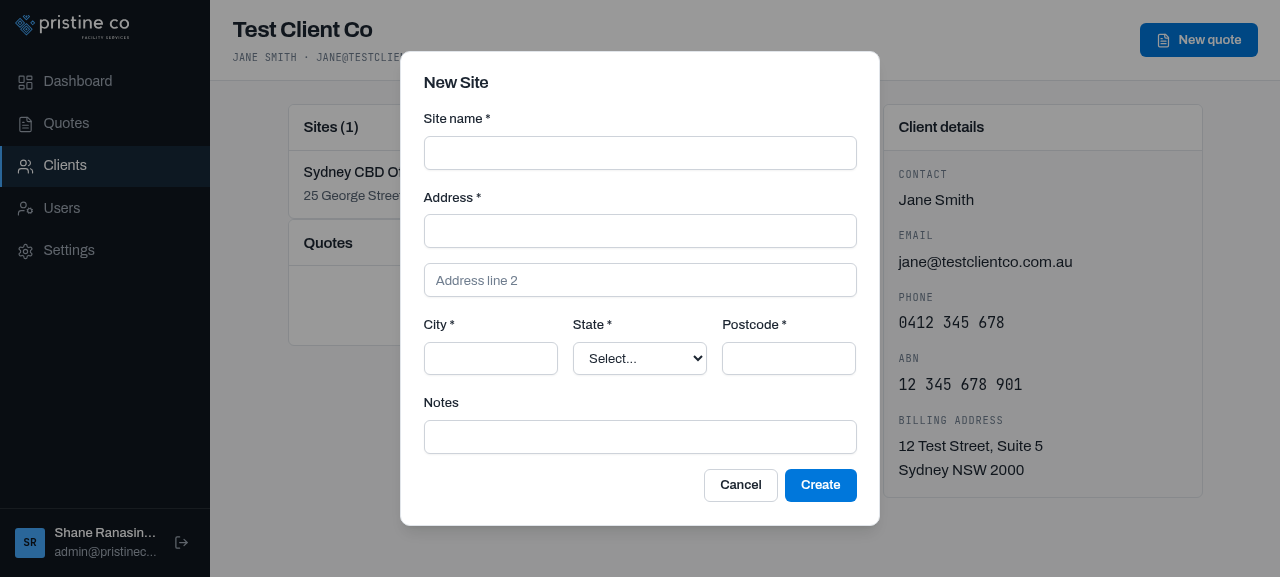
24-new-site-modal.png — Site name, address, city, state, postcode, notes
10Users — New Section
NEW Admin-managed user accounts: name/email/role table, New user (name, email, password), edit, and self-delete protection ("Cannot delete your own account"). Roles: ADMIN.
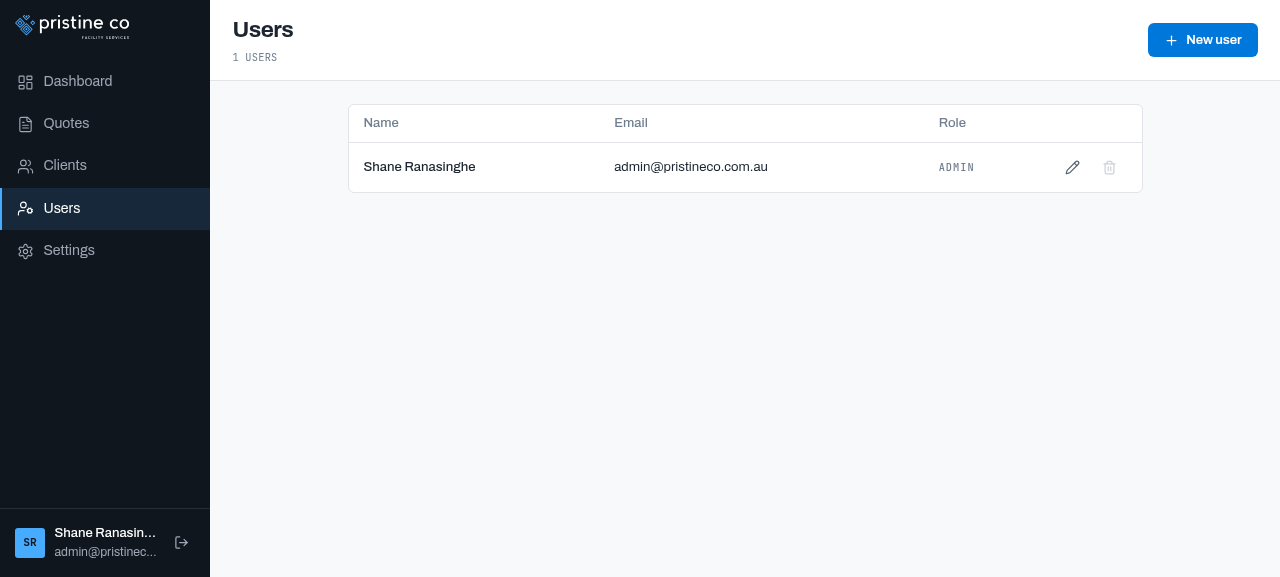
18-users.png — 1 user (Shane Ranasinghe, ADMIN) with edit + guarded delete
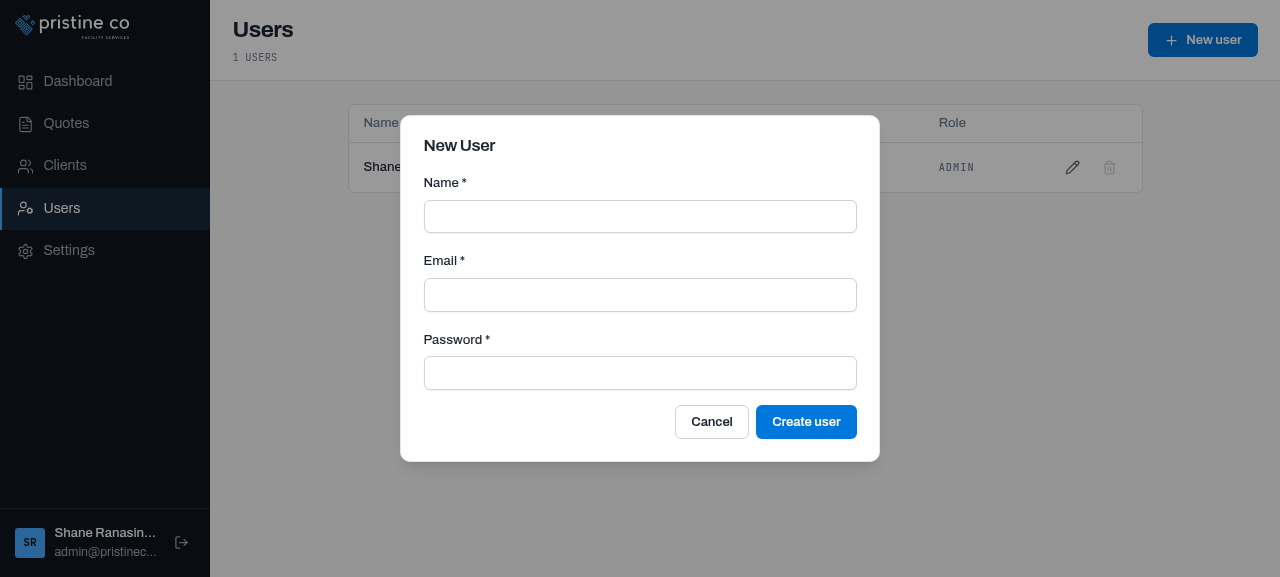
19-new-user-modal.png — Name, email, password
11Company Settings — Tabbed
NEW Settings is now tabbed — Business / Bank details / Quote defaults — and a company logo is uploaded (with Replace/Remove), which is why the PDF preview is branded.
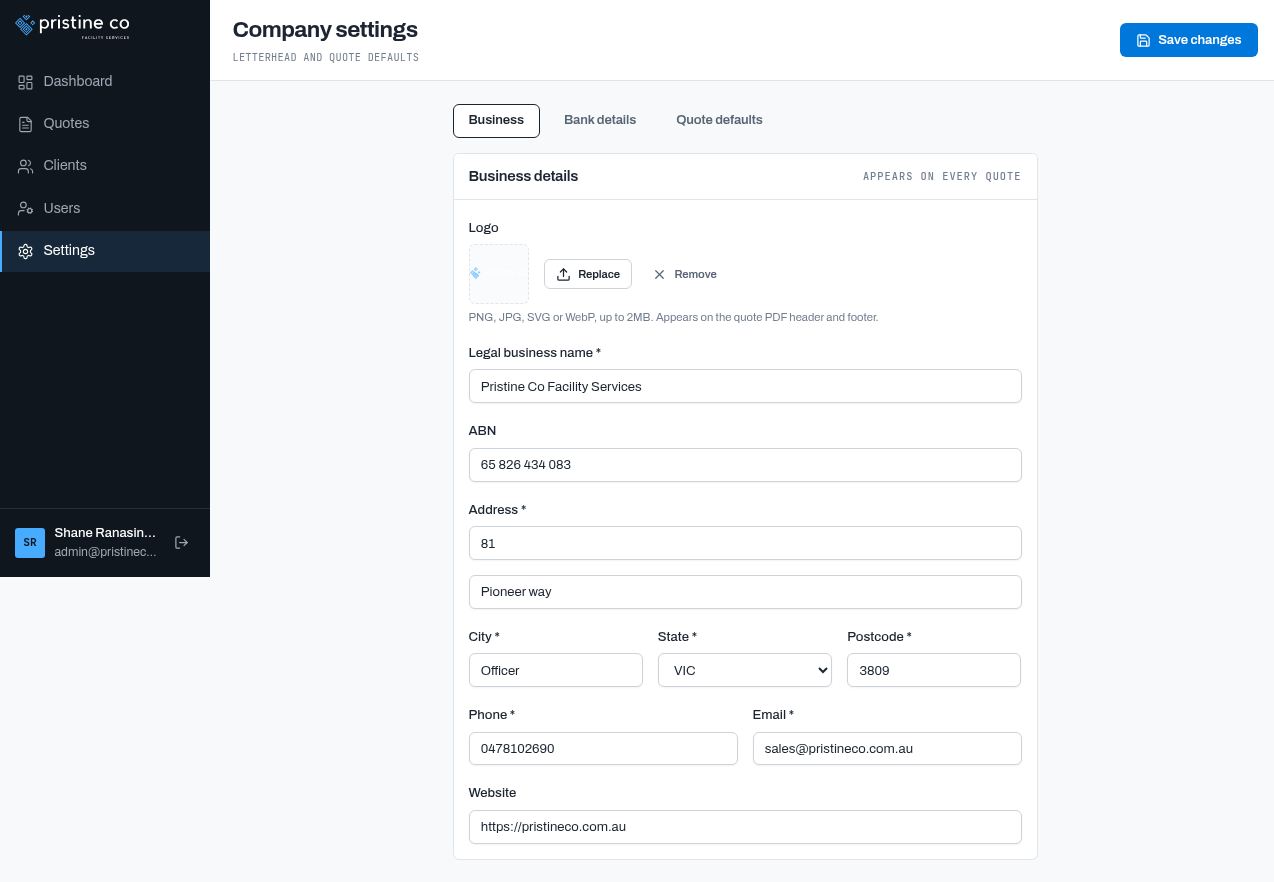
20-settings-business.png — Logo (Replace/Remove), legal name, ABN, address, phone, email, website
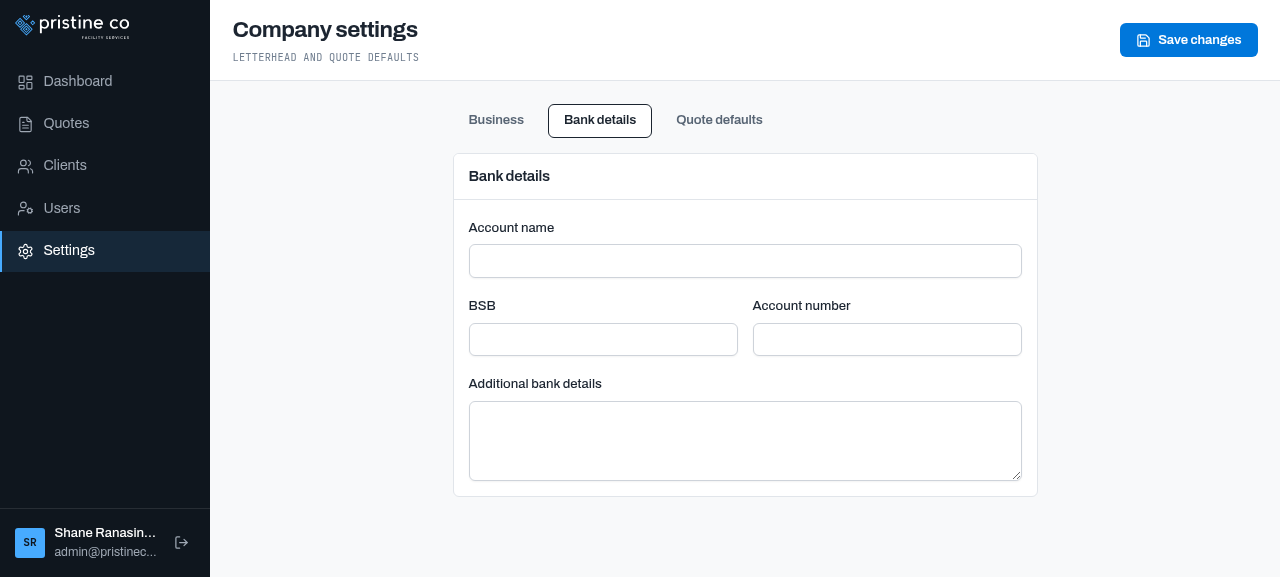
21-settings-bank.png — Account name, BSB, account number, additional details
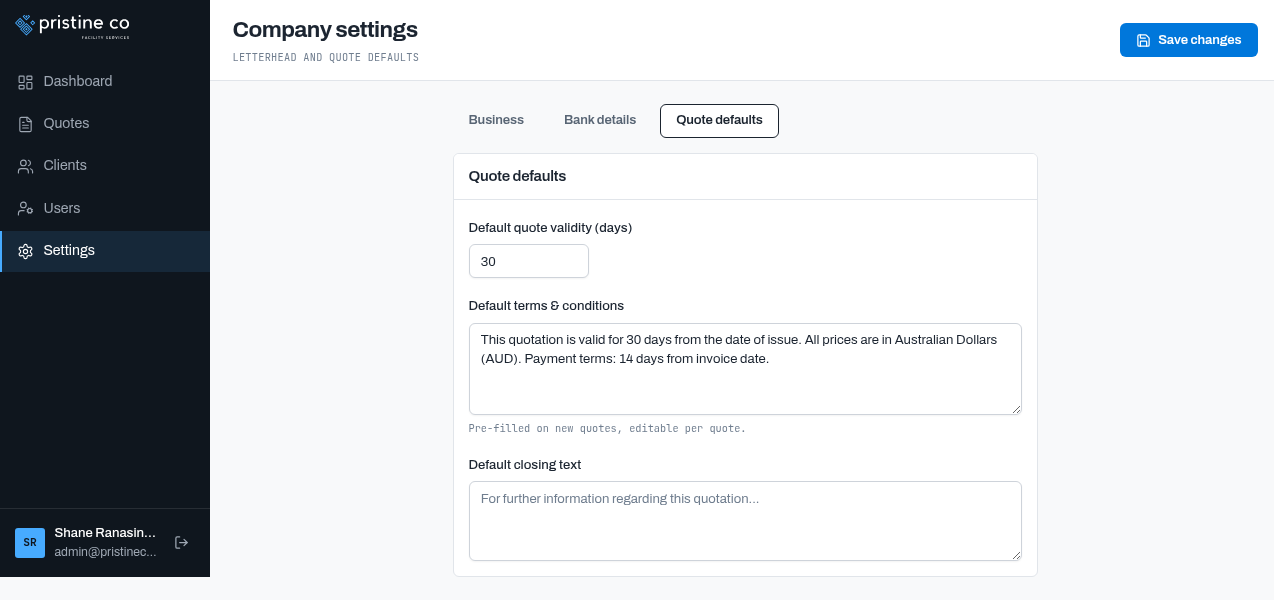
22-settings-quote-defaults.png — Default validity 30 days, default T&Cs, default closing text
What changed vs the previous version
| Area | v1 → v2 |
|---|---|
| Navigation | Users section added (admin user management) |
| Dashboard | Date header, Pipeline value KPI, Needs attention action list (was "Active quotes" + "Recently updated" tables) |
| Quotes list | Cards with action chips (FOLLOW UP / FINISH DRAFT / WON / CLOSED) — was a plain table |
| Quote detail | Reorganised into Scope / Pricing (AUD) / Terms / Details / Status history |
| Branded with company logo; footer address line 2 bug fixed | |
| Settings | Tabbed layout; logo upload with Replace/Remove |
| Account | User is now Shane Ranasinghe (was Jani Wanniarachchi); explicit Log out button added |
Remaining observations
- Minor Seeded draft PC-2026-0003 still shows epoch dates (1 Jan 1970) — data-quality quirk in old seed data, not the current form (fresh drafts show "—").
- Unverified PDF / CSV downloads can't be captured in this sandbox — the UI states the live preview "matches the generated PDF exactly".
- Not tested Negotiating/Expired statuses, logo upload flow, delete flows, forgot-password (no such link on login), user creation end-to-end.